10 Work From Home Setup Ideas
Working from home has become a norm for many, whether by choice or necessity. With remote work on the rise, creating an efficient and comfortable workspace has never been more important. A thoughtfully designed work-from-home setup not only boosts productivity but also enhances well-being, focus, and creativity.
Your home office should be more than just a desk and chair; it should be a carefully curated environment that supports your workflow while reflecting your personal style. From ergonomic furniture to smart storage solutions, proper lighting, and aesthetic touches, the right setup can make all the difference in how productive and comfortable your workday feels.
In this article, we’ll explore 10 work-from-home setup ideas that combine functionality, comfort, and style. These setups will inspire you to create a workspace that maximizes efficiency, minimizes distractions, and makes remote work more enjoyable. Whether you’re setting up a dedicated home office, converting a corner of your living room, or designing a minimalist workstation, these ideas will help you craft a workspace tailored to your needs.
1. Ergonomic Desk and Chair Setup
The foundation of any effective work-from-home setup is ergonomics. Investing in an ergonomic desk and chair ensures that you maintain proper posture, reduce strain, and work comfortably for long hours.
Start with an adjustable chair that supports your lower back and encourages proper spine alignment. Pair it with a desk that suits your workflow—whether it’s a standing desk or a traditional desk with sufficient surface area. Place your monitor at eye level to avoid neck strain, and keep your keyboard and mouse at a comfortable height.
Add a footrest if needed and ensure that there is enough space to stretch and move around. Ergonomics is not only about comfort; it also helps prevent long-term health issues like back pain, repetitive strain injuries, and fatigue, which can greatly impact productivity.

2. Minimalist Home Office
A cluttered workspace can negatively affect focus and efficiency. A minimalist setup prioritizes clean lines, essential tools, and organized storage to create a visually calming environment.
Choose a simple desk, a sleek chair, and limited accessories. Use cable organizers to keep cords hidden and storage solutions like drawers, shelves, or floating cabinets to store essentials out of sight.
Minimalist setups benefit from neutral color palettes, such as white, beige, or light gray, to create a serene atmosphere. By removing distractions and keeping the workspace tidy, a minimalist home office encourages concentration and fosters a sense of calm.

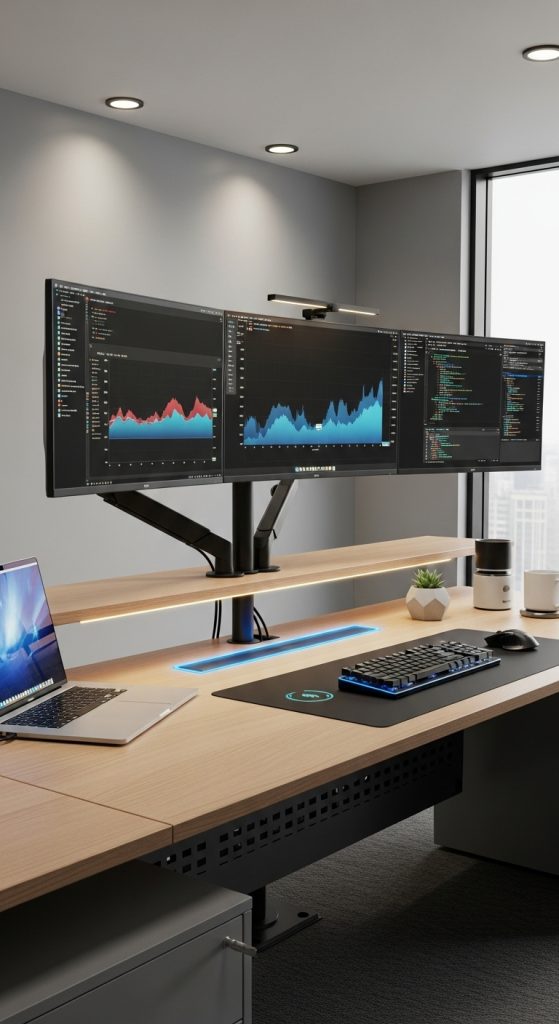
3. Dual Monitor or Multi-Screen Setup
For professionals who rely on multiple applications, documents, or programs simultaneously, a dual monitor or multi-screen setup is a game-changer. This arrangement increases productivity by reducing the need to constantly switch between windows and allows for better multitasking.
Set up two or more monitors side by side with adjustable mounts to optimize screen height and angle. Ensure that your desk has enough surface area for the monitors, keyboard, and mouse.
Dual monitor setups are ideal for graphic designers, software developers, content creators, and anyone who handles large amounts of data or complex workflows. They enhance workflow efficiency and reduce mental fatigue caused by constantly toggling between tasks.

4. Creative Corner Workstation
If you don’t have an entire room to dedicate to a home office, a creative corner workstation is a practical solution. Utilize a corner of your living room, bedroom, or spare space to set up a compact but functional work area.
Choose a corner desk or an L-shaped desk to maximize space. Add a comfortable chair and essential accessories like a lamp, small storage units, and a corkboard or whiteboard for notes.
Decorate the area with inspiring items such as art, plants, or motivational quotes to create an inviting environment. A corner workstation allows you to work efficiently without taking up an entire room, making it perfect for small apartments or shared living spaces.

5. Standing Desk Setup
Standing desks are popular for their ergonomic benefits and ability to reduce prolonged sitting. A standing desk setup allows you to alternate between sitting and standing throughout the day, which can improve posture, circulation, and overall energy levels.
Choose a height-adjustable standing desk that can be easily raised or lowered. Pair it with a supportive anti-fatigue mat to reduce strain on your legs and feet. Add monitor risers or adjustable monitor arms to keep your screens at eye level while standing.
Standing desks are ideal for professionals who spend long hours at the computer and want to improve health and productivity. Incorporating movement into your workday can also boost energy and focus.

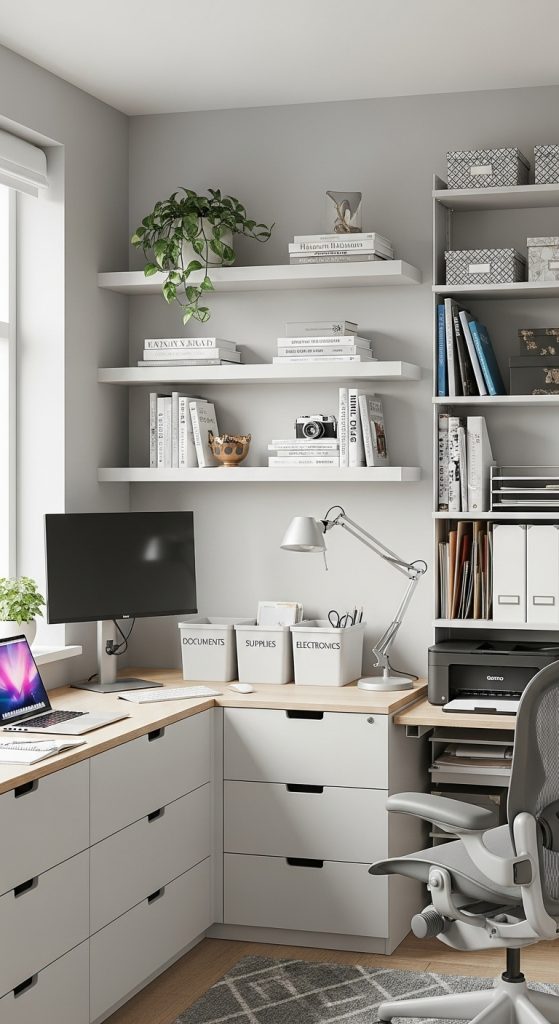
6. Home Office with Smart Storage Solutions
Efficient storage is essential for a productive workspace. A cluttered desk or unorganized documents can disrupt focus and slow down workflow. Integrate smart storage solutions to keep your home office tidy and organized.
Use drawers, floating shelves, filing cabinets, or modular storage units to store office supplies, documents, and equipment. Organize items by frequency of use, keeping essential tools within reach and less-used items stored neatly away.
Label boxes and drawers for easy identification, and use vertical storage options to maximize space. Smart storage solutions create a clean, organized environment that promotes efficiency and reduces visual clutter.
7. Aesthetic Workspace with Personal Touches
Adding aesthetic elements and personal touches to your workspace can enhance comfort, creativity, and motivation. A visually pleasing environment makes it easier to spend long hours working without feeling fatigued or uninspired.
Consider incorporating plants, art, photographs, or decorative objects that inspire you. Choose a color palette that matches your personal style and complements your home decor.
Lighting is also important—natural light is ideal, but if that’s not possible, use desk lamps or ambient lighting to brighten the space. Personal touches make your workspace inviting, boost morale, and create a sense of ownership over your environment.

8. Compact Desk for Small Spaces
Not everyone has a dedicated room for a home office. For small apartments or shared living spaces, a compact desk setup can maximize functionality while occupying minimal space.
Opt for a small, narrow desk or a wall-mounted foldable desk that can be tucked away when not in use. Pair it with a comfortable chair and vertical storage like wall shelves or small filing units.
Compact setups are ideal for students, freelancers, or anyone who works from home without an entire room to spare. By efficiently using vertical space and minimizing clutter, even small areas can become highly productive workstations.

9. Tech-Integrated Workspace
A modern work-from-home setup often requires integrating technology seamlessly into your environment. Tech-integrated workspaces include features like wireless charging stations, cable management systems, monitor mounts, and smart lighting.
Organize your workspace to reduce cord clutter and ensure devices are easily accessible. Use docking stations for laptops and tablets, and consider smart assistants or speakers to streamline workflow.
A tech-integrated setup is especially useful for remote workers, digital creatives, and professionals who rely on multiple devices. It enhances productivity, keeps the workspace clean, and creates a modern, efficient environment.
10. Multi-Purpose Workstation
For those who work from home but also need space for other activities, a multi-purpose workstation can serve multiple functions. This setup allows you to transition seamlessly between work, hobbies, and family needs.
Choose a desk with ample surface area and storage compartments. Incorporate modular furniture that can be easily adapted to different uses, such as a foldable desk, movable shelves, or a desk with pull-out trays.
This setup works well for parents who supervise children, artists who need creative space, or anyone who wants flexibility in their home office. A multi-purpose workstation ensures productivity while allowing the space to serve multiple functions efficiently.

Conclusion
A well-designed work-from-home setup is key to productivity, comfort, and well-being. Whether you’re creating an ergonomic workstation, a minimalist office, a standing desk setup, or a multi-purpose creative space, these 10 ideas offer practical solutions for optimizing your home office.
By combining functionality with style, incorporating personal touches, and using smart storage and technology, you can create a workspace that not only enhances productivity but also makes working from home enjoyable. Whether you have a dedicated room or a corner of your living space, these ideas will help you design a home office tailored to your needs.